The Challenge: Security vs. User Experience
In a modern web application, keeping a user logged in without compromising security is a delicate balance. Storing long-lived tokens in localStorage is a massive security risk (XSS), while forcing users to log in every 15 minutes is a terrible experience.
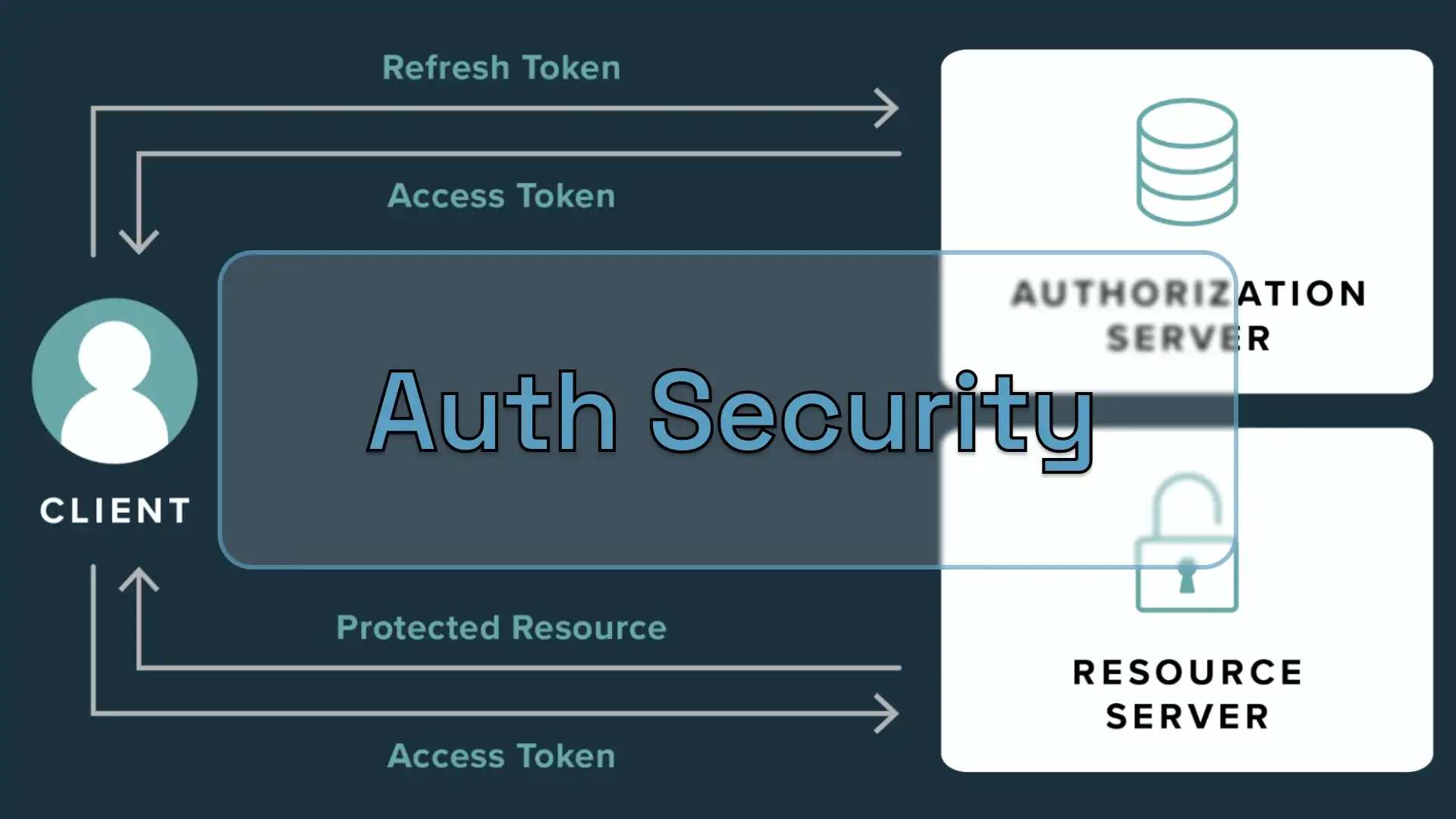
The Strategy: Dual Token Rotation
I architected a security layer using Bun and Hono that relies on two types of JSON Web Tokens (JWT) with distinct roles and lifecycles.
1. Short-Lived Access Tokens
These tokens are used for every authenticated request. They expire quickly (typically in 15 minutes), meaning that even if one is intercepted, the window of opportunity for an attacker is minimal.
2. Long-Lived Refresh Tokens
To avoid frequent logouts, I implemented Refresh Tokens.
- Storage: These are stored exclusively in
HttpOnly,Secure, andSameSite=Strictcookies. This makes them inaccessible to client-side JavaScript, effectively neutralizing most XSS-based token theft. - Role: When an Access Token expires, the client sends the Refresh Token to a specific endpoint to receive a new pair of tokens.
Backend Implementation: The Refresh Flow
The backend handles the rotation by verifying the signature of the Refresh Token and checking its presence in the database (to allow for manual revocation).
Key Snippet: Token Refresh Logic
const refreshToken = getCookie(c, 'refresh_token');
if (!refreshToken) return c.text('Unauthorized', 401);

const result = await AuthService.refresh(refreshToken);
if (typeof result === 'object') {
  setAuthCookie(c, tokenTypes.access, result.accessToken, 60 * 15);
  setAuthCookie(c, tokenTypes.refresh, result.refreshToken, 60 * 60 * 24 * 30);
  return c.json({ success: true }, 200);
}
return c.text('Unauthorized', 401);
Frontend Integration: Transparent Interceptors
To make this seamless for the user, the frontend uses an interceptor. When a request returns a 401 Unauthorized status, the application automatically attempts to refresh the token in the background and retries the original request.
Key Snippet: Axios/Fetch Interceptor
api.interceptors.response.use(
  (response) => response,
  async (error: AxiosError) => {
    const originalRequest = error.config as InternalAxiosRequestConfig & {
      _retry?: boolean;
    };
    if (error.response?.status !== 401 || originalRequest.url?.includes('/auth/refresh')) {
      return Promise.reject(error);
    }
    if (originalRequest._retry) {
      return Promise.reject(error);
    }
    if (isRefreshing) {
      return new Promise((resolve, reject) => {
        failedQueue.push({
          resolve: () => resolve(api(originalRequest)),
          reject: (err) => reject(err),
        });
      });
    }
    originalRequest._retry = true;
    isRefreshing = true;

    try {
      await api.post('/auth/refresh');
      processQueue();
      return api(originalRequest);
    } catch (refreshError) {
      processQueue(refreshError as Error);
      if (typeof window !== 'undefined') {
        window.location.href = '/login?expired=true';
      }
      return Promise.reject(refreshError);
    } finally {
      isRefreshing = false;
    }
  }
);
Why this approach?
- XSS Protection: Sensitive tokens are never reachable via
document.cookieorlocalStorage. - CSRF Mitigation: Using
SameSitecookies and custom headers ensures that requests must originate from our trusted domain. - Granular Control: We can revoke a specific session (Refresh Token) from the database without affecting other devices the user might be using.
Conclusion
Building a secure backend is not just about checking a password; it is about managing the entire lifecycle of a session. By combining Bun’s performance with a strict token rotation policy, the system remains fast, invisible to the user, and highly resistant to common web vulnerabilities.